Add Ports to Enterprise Server
This must be done either on the unit itself or through remote desktop. Doing this through the web from another machine will not work.
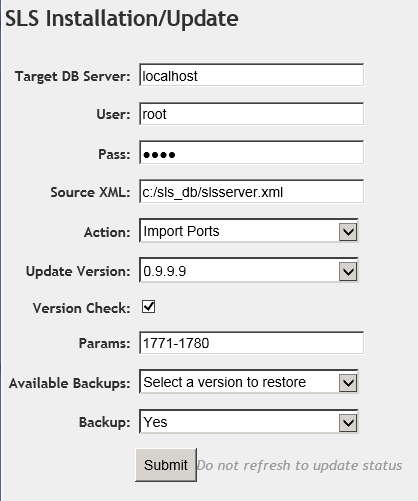
Access the Admin Panel on ES. Select "SLS Installation Update"
Target DB server: localost
User: root
Pass: demo
Source XML: C:/sls_db/slsserver.xml
Action: Import Ports
Update Version: (accept whatever's there)
Version Check: (should already be checked)
Params: range of ports to be added
Available Backups: (ignore)
Backup: (ignore)
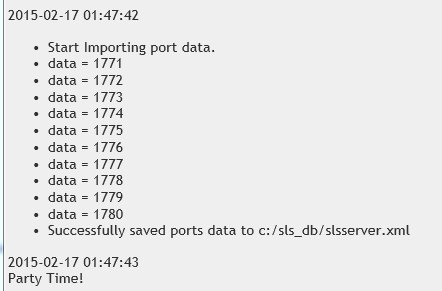
Click Submit. You should get in the output as pictured below.